
ISU Grand Prix of Figure Skating Final
2025 AICHI/NAGOYA
Overseas reception
- E-tickets
- Saturday, September 13, 2025, 10:00 (JST)-
About Event
| Event Dates | Thursday, December 4 - Sunday, December 7, 2025 |
|---|---|
| Venue |
IG Arena (Nagoya, Aichi, Japan) |
Purchasing Tickets
| Sales |
Saturday, September 13, 2025, 10:00 (JST)- |
|---|---|
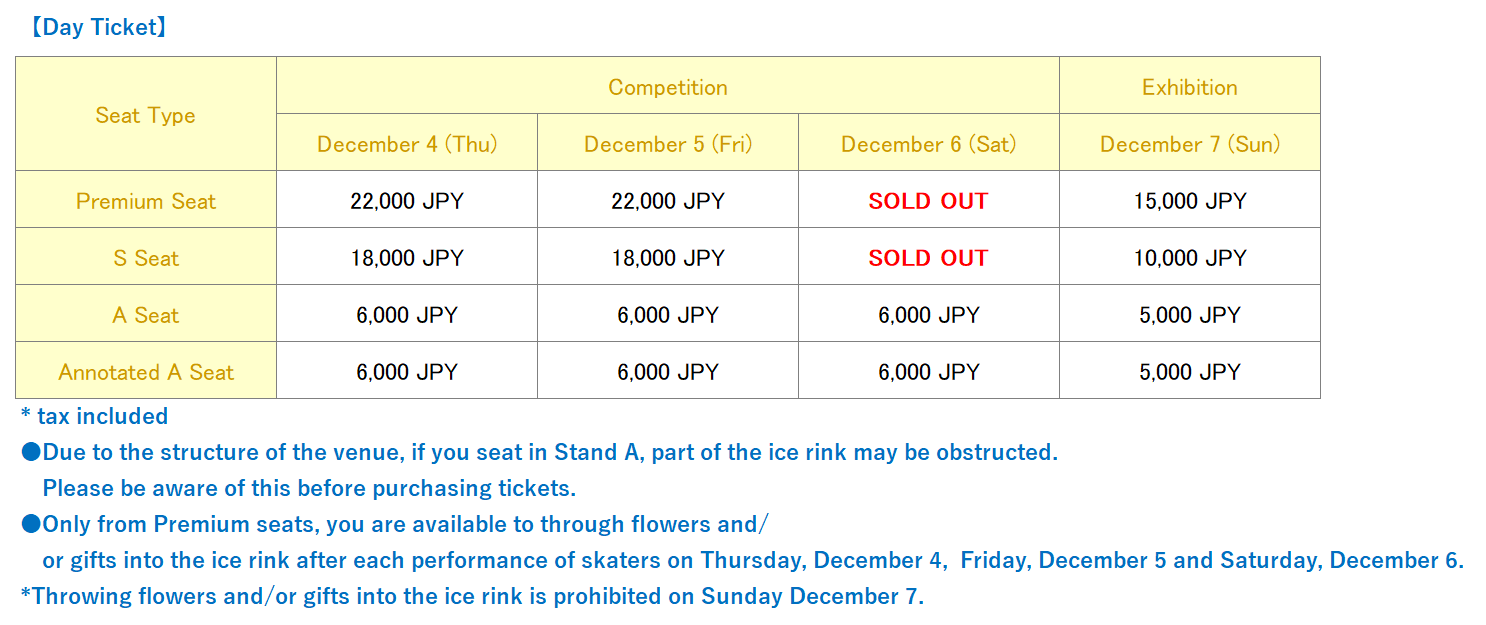
| Tickets price |
|
| Purchase conditions | Register your Plus member ID (free of charge).
|
| Maximum Number of tickets you can buy | Up to 4 tickets per person per day *It is possible to apply for multiple days. |
| Service Fee | System fee(tax included):330JPY per ticket Service fee(tax included):165JPY per ticket |
| Payment method | Credit card *Accepted Cards JCB、VISA、Mastercard、AMEX、Diners Paypal UnionPay |
[Notes]
| Throwing of flowers and gifts |
●Only from Premium seats, you are available to through flowers and/or gifts into the ice rink after each performance of skaters on Thursday, December 4, Friday, December 5 and Saturday, December 6. Throwing flowers and/or gifts into the ice rink is prohibited on Sunday December 7. ●When you throw flowers, please wrap it securely so that no petals or oasis will fall into the rink. ●If you bring flowers, please be sure to check the wrapping at the florist inside the venue. ●It is prohibited to trow a stuffed animal with decorations that may fly nto pieces on the ice rink. ●You can not move from your own seat when you throw flowers or gifts into the ice rink. Please throw them from your own seat. ●When you throw flowers or gift, please do not to disturb the other spectators. We are not responsible for any problems between spectators. Throwing anything that interferes with the schedule of the event or the safety of the spectators is prohibited. In the event of any violations or dangerous behavior, we may prohibit the throwing of flowers or gifts. |
|---|---|
| Note |
●You can not choose section or seat number when you buy a ticket. ●Children under 3 years old are not allowed to enter. ●Tickets purchased through non-authorized sales channels are not guaranteed to be valid. ●No refunds will be issued for multiple applications for the same competition date. ●No changes or cancellations are allowed after the purchase is completed. Please confirm the date, venue, seat type, and number of tickets before applying. ●Tickets will not be reissued under any circumstances (loss, disappearance, damage, etc.). ●Please be sure to bring your ID card with you as you may be asked to present it at the entrance. If your identity cannot be verified, you may not be allowed to enter the venue. |
| Event Schedule |
●Thursday, December 4: Starting time Approx. 15:30, Ending time Approx. 22:00 ●Friday, December 5: Starting time Approx. 15:20, Ending time Approx. 22:00 ●Saturday, December 6: Starting time Approx. 15:00, Ending time Approx. 22:30 ●Sunday, December 7: Starting time Approx. 14:00, Ending time Approx. 16:30 *Doors are opened one hour before the first competition. *Event schedule is subject to change. Please check the latest event website before you come to the venue. |
| Acceptable ID |
●Passport, driver's license *Photocopies of ID or expired ID are invalid. *The identification card must have **name, date of birth, and photo (if applicable). |
About E-tickets
E-ticket on smartphone
E-tickets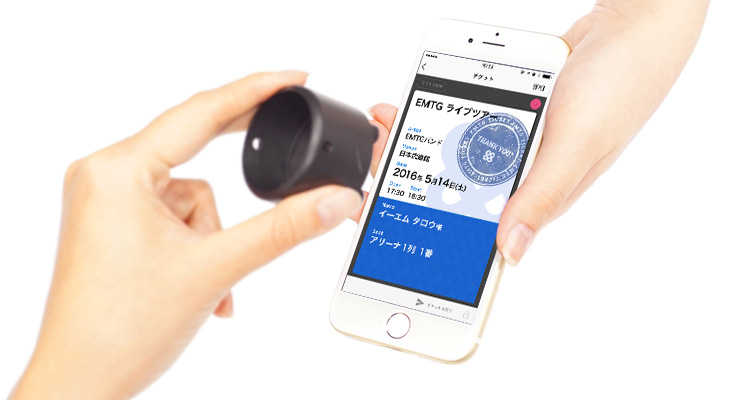 |
Tickets display date | from 10:00 a.m. on Saturday, September 13, 2025 |
|---|---|---|
| Distribute E-tickets | Click here |
These services are only available for use on smartphones.
E-Tickets can be used only by persons with cellphone numbers of smartphones.
After you complete your purchase, we will contact you through email about ways to display an electronic ticket. For users who set domain and email addresses for the receipt of messages, please adjust your settings so that you can receive messages from "plusmember.jp."
About ticket purchase
- STEP1
-
Register your Plus member ID (free of charge)
It is required to register a Plus member ID to be able to login the App. Enter here to register your “Plus member ID (free of charge).
- STEP2
-
Plus member ID registration method
-
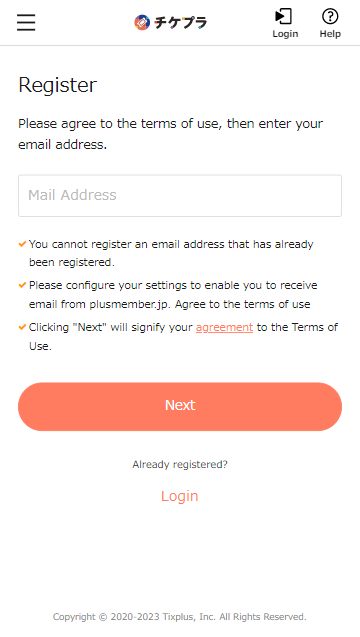
Please agree to the terms of use, then enter your email address.
-
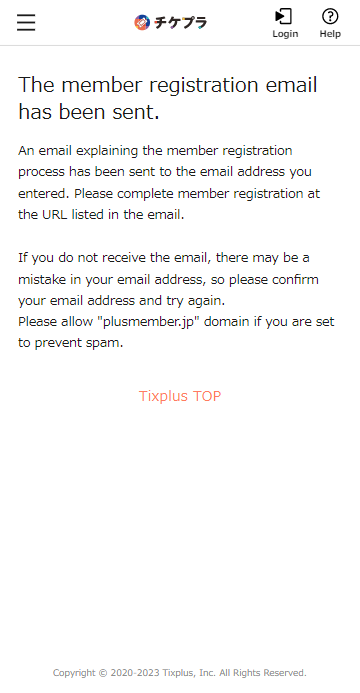
An email explaining the member registration process has been sent to the email address you entered. Please complete member registration at the URL listed in the email.
-
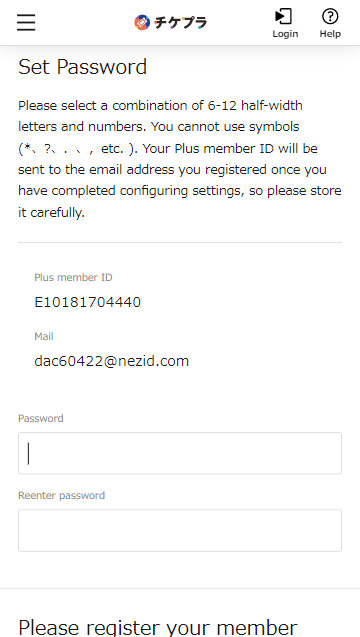
Set any password and scroll down
-
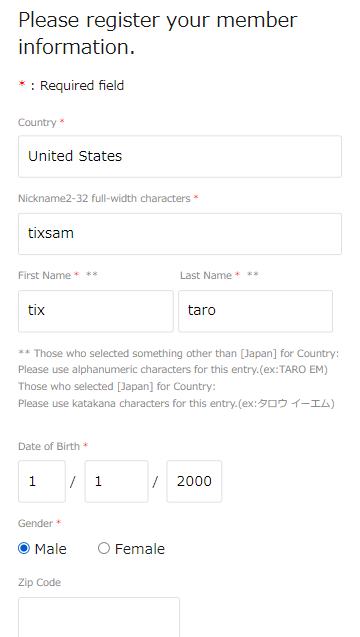
Please enter your nickname, name and date of birth
-
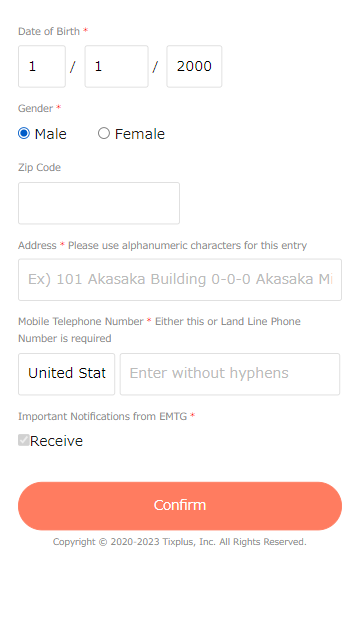
Please enter your postal code, address, and contact phone number
-
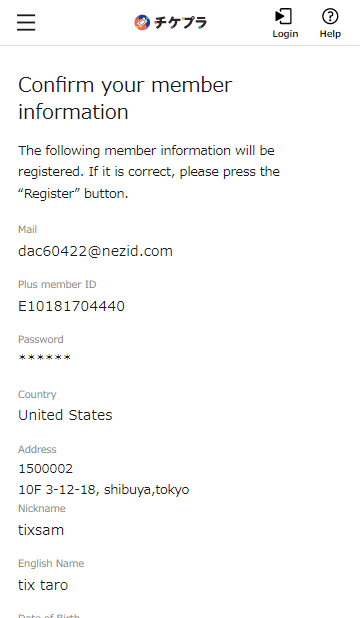
Please check your registration
-
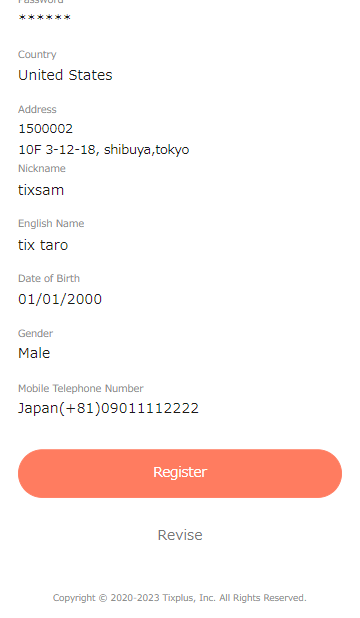
After confirming that the contents are correct, please press the button to register.
-
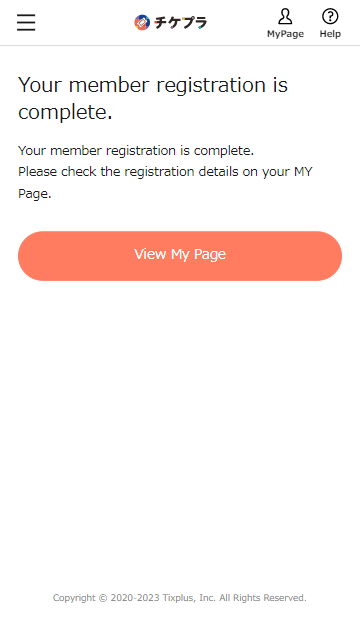
Registration is complete when this screen appears
-
- STEP3
-
Visit the sales page and log in to purchase your ticket
-
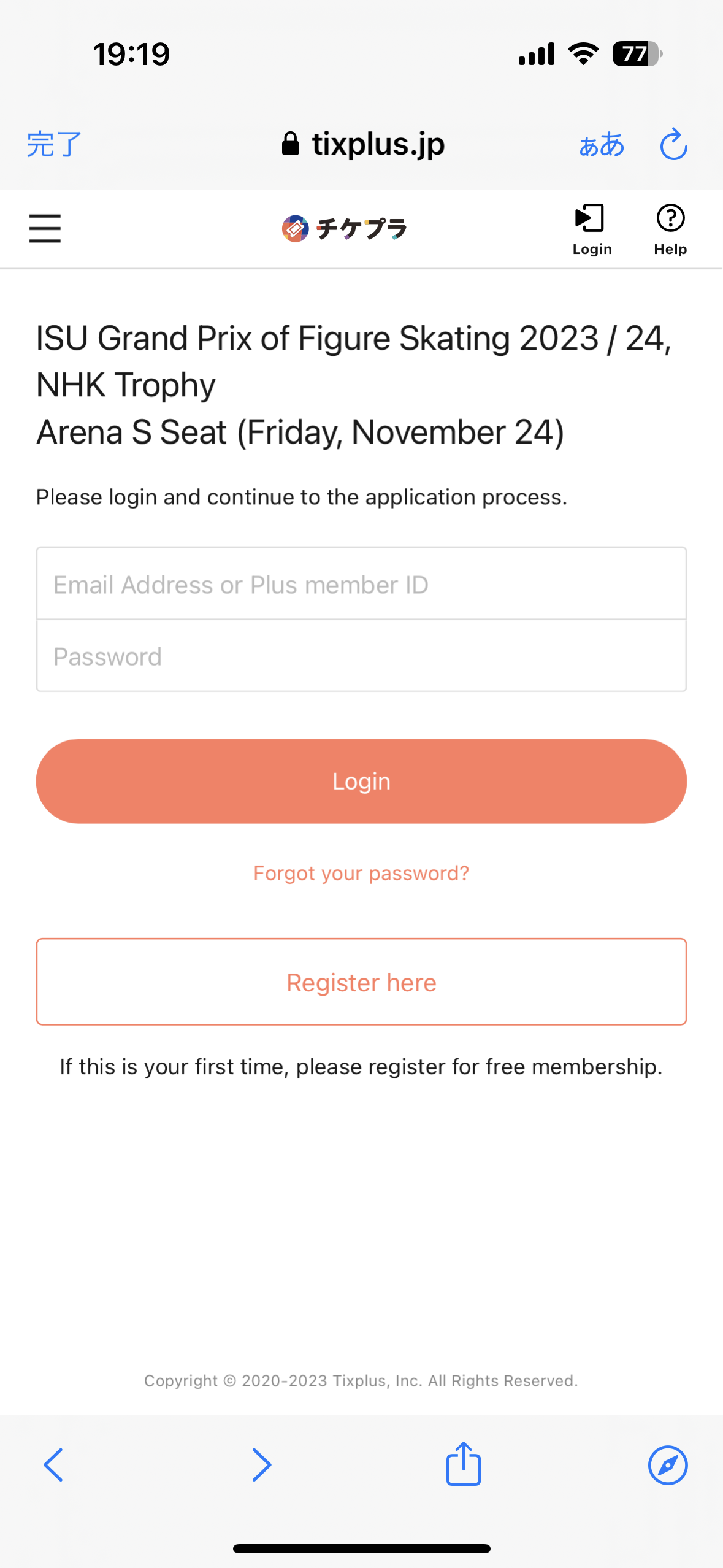
Login with your Plus member ID
-
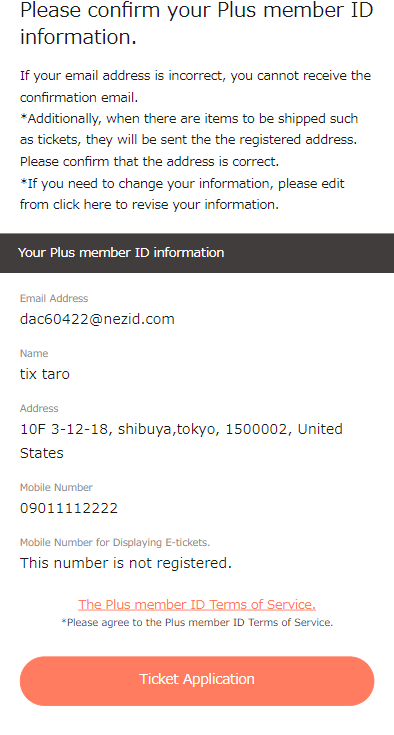
Confirm your information, press next
-
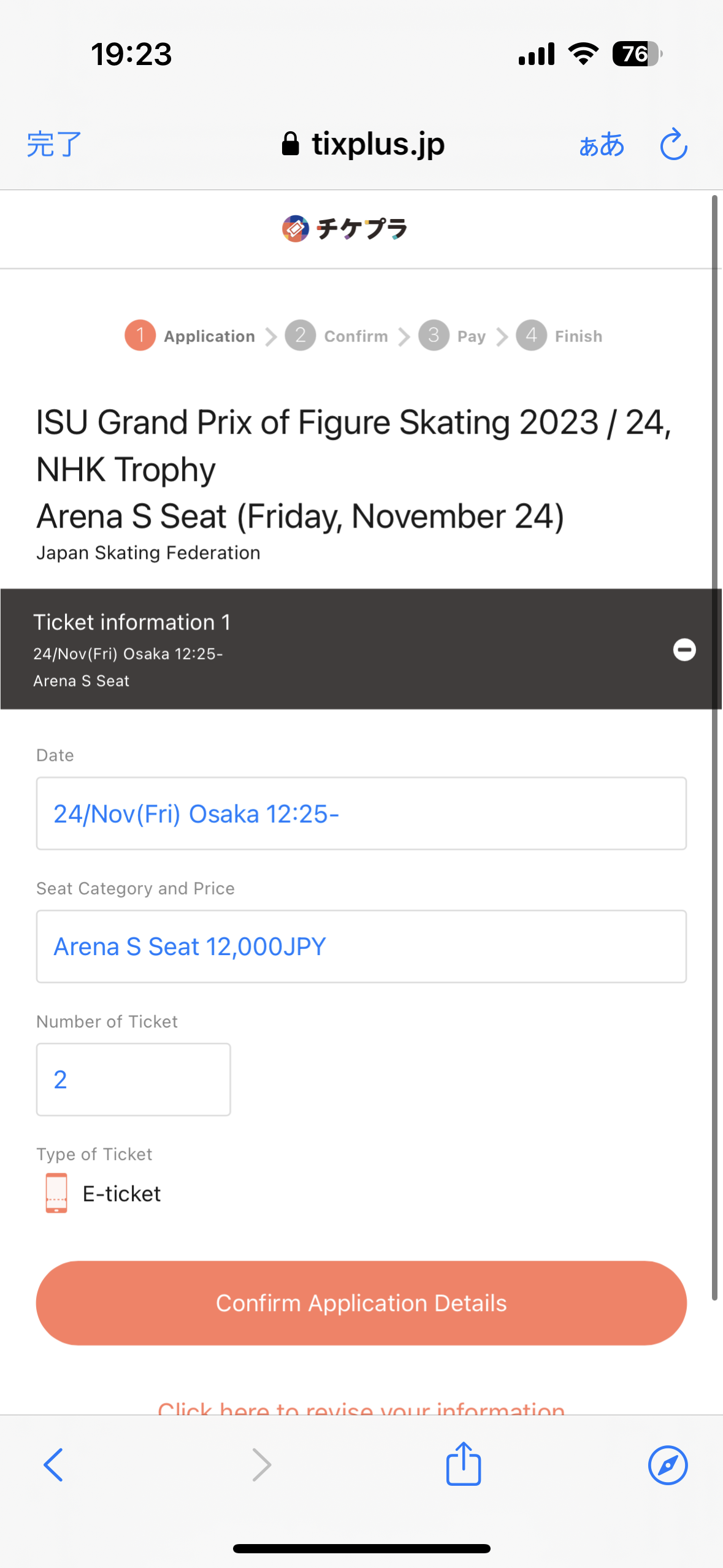
Select performance, ticket type, number of tickets
-
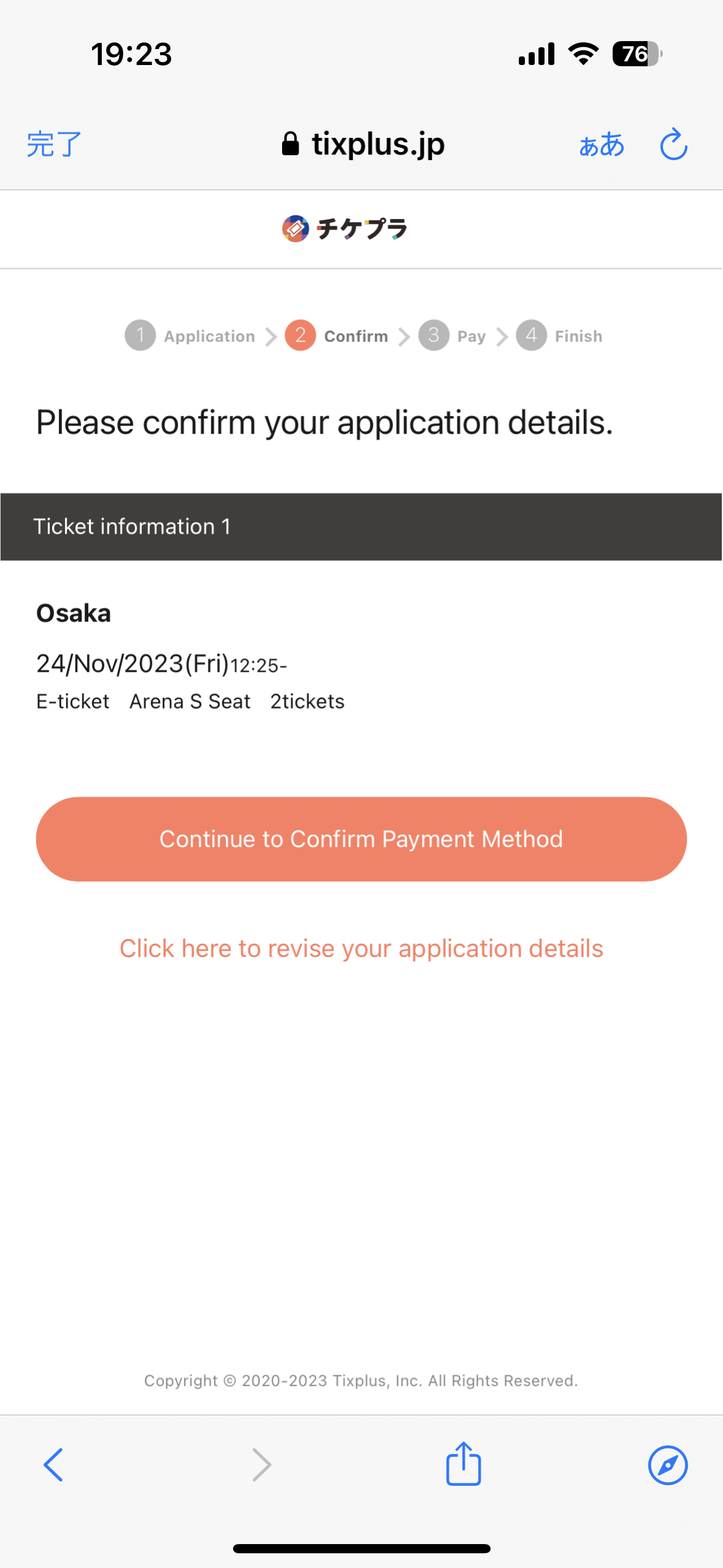
Please check your application
-
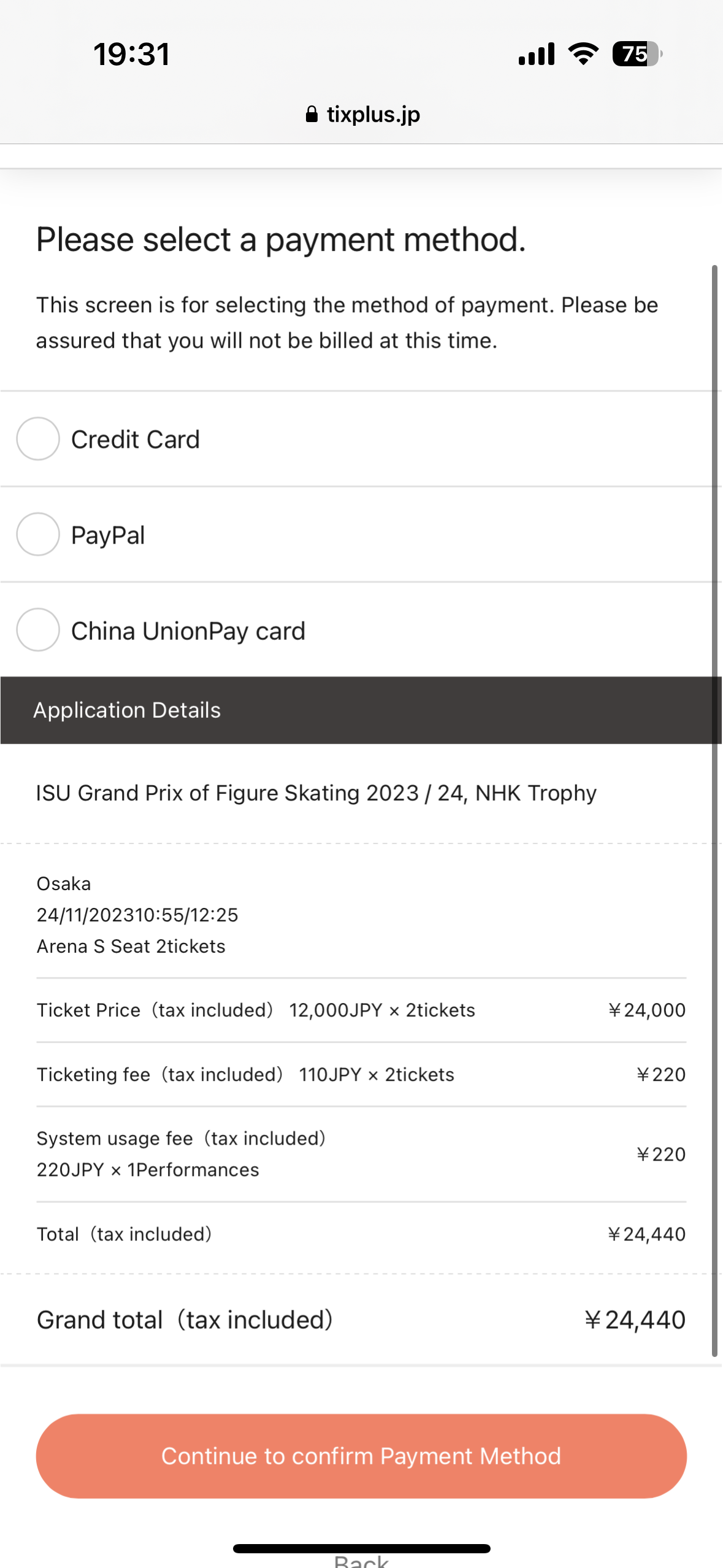
Please select a payment method
-
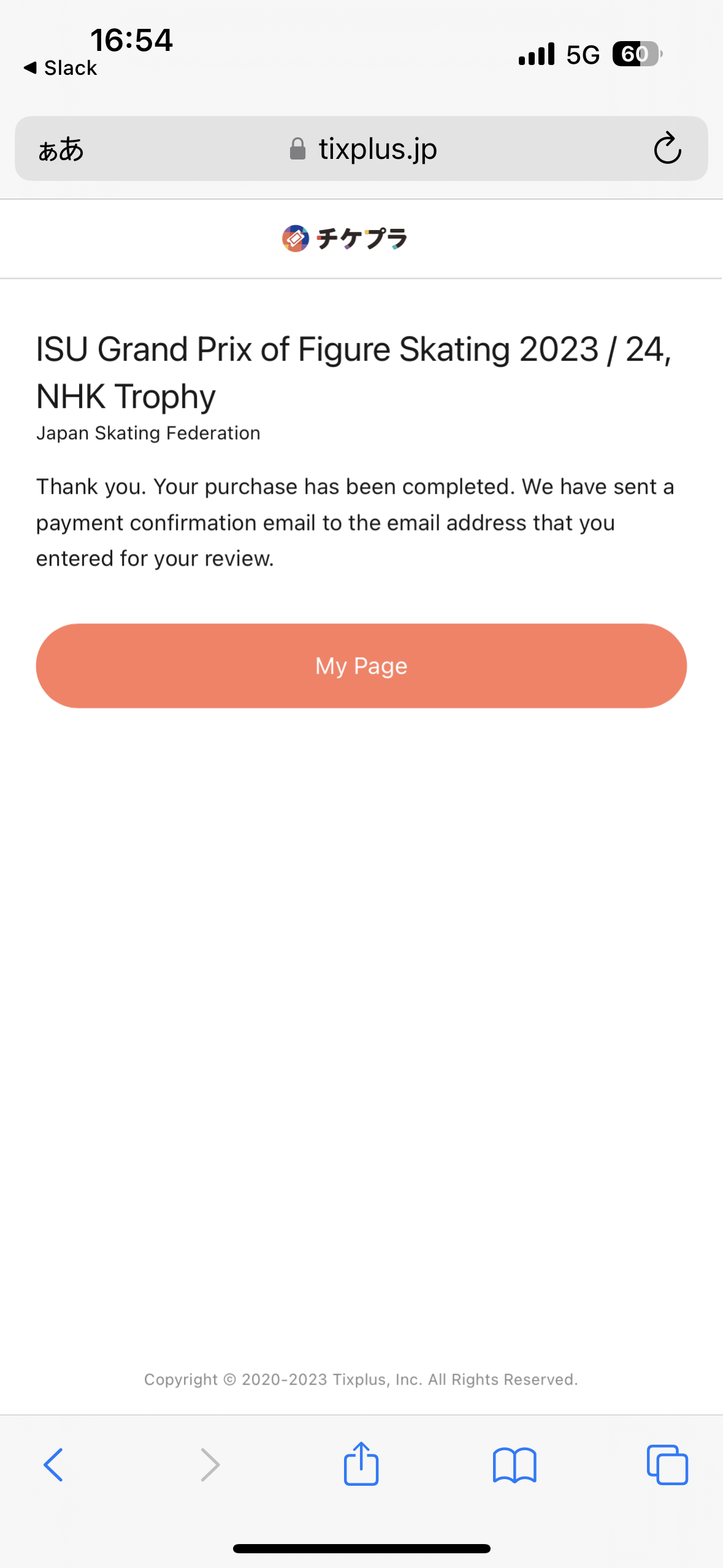
After making the payment, the completion screen will appear
-
- STEP4
-
After payment is completed,You can check the purchase details on My Page
-
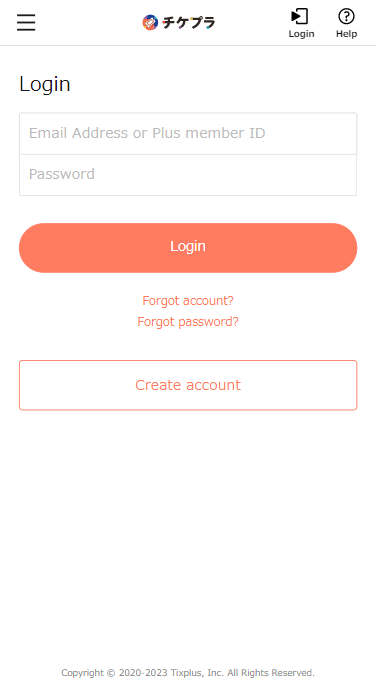
Log in with the ID and password you purchased on the ticket MY page
-
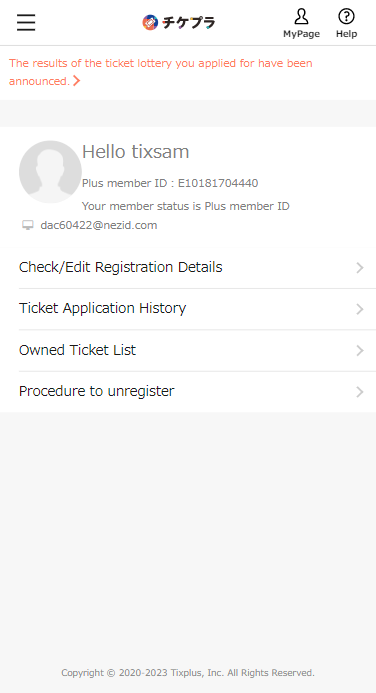
Please press the ticket application history
-
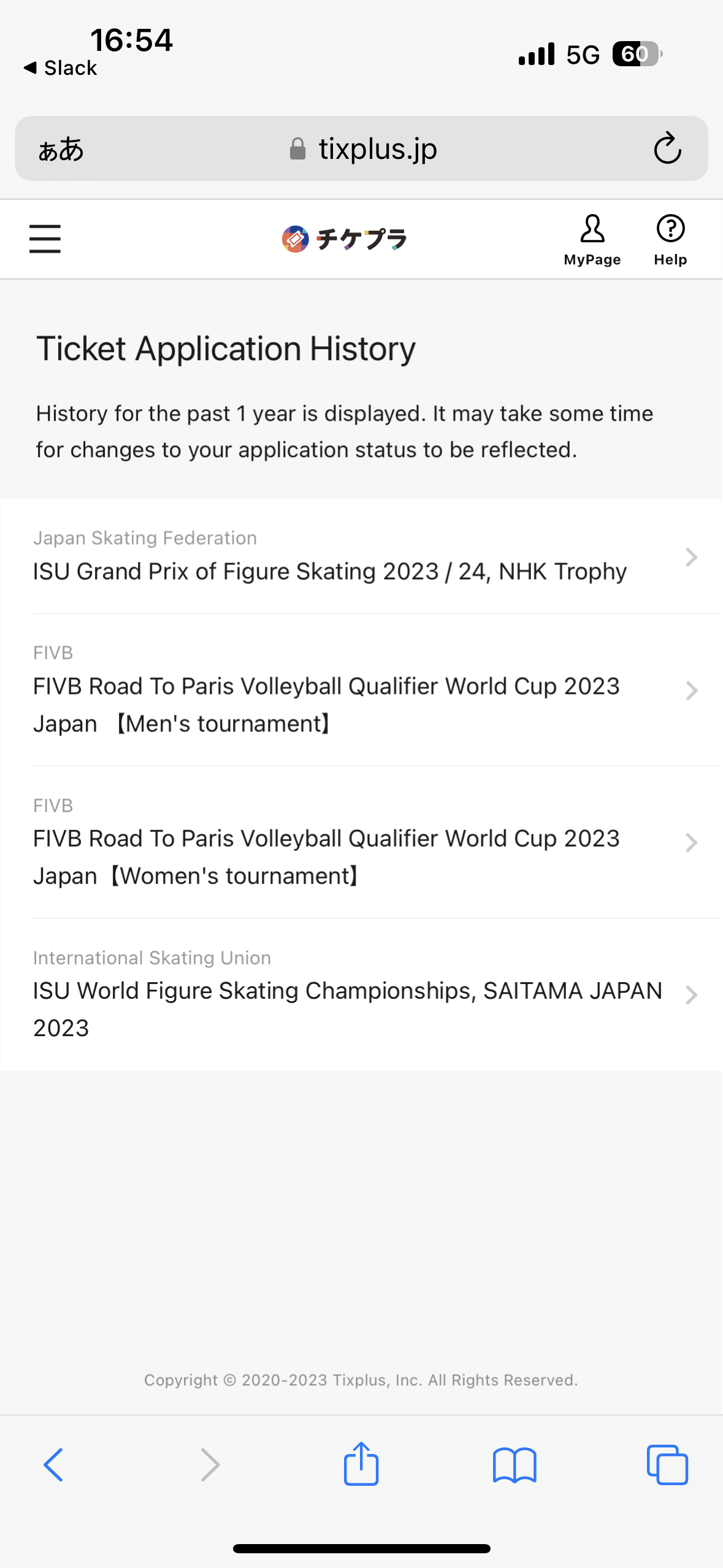
make a relevant application
-
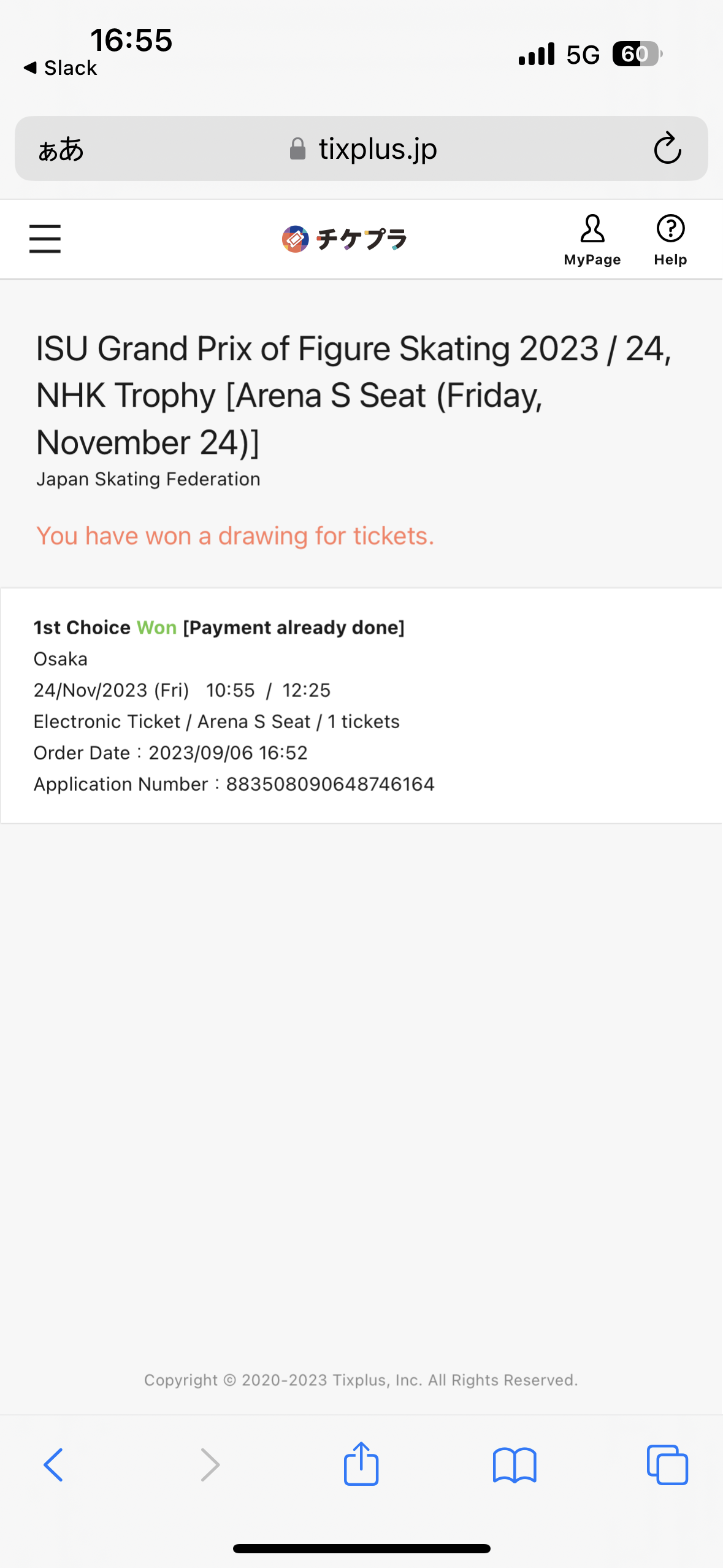
If it says "Payment complete" on this screen, it is complete.
E-ticket will be issued later by the app
-
About E-ticket issuance after purchase
If you claim 2 - 4 tickets, all tickets will be displayed on your smartphone.
*Please be sure to distribute your companions' tickets before entering the venue.
*Free Wi-Fi is not available at the venue, so please check the E-ticket(s) beforehand and ensure that the ticket(s) is displayed on the smartphone.
Please do not forget to bring your smartphone with you!
FAQ & Inquiry
- For inquiries concerning the ticket entry application process or the use of E-Tickets please contact:
- Tixplus Customer Support Office hours:Weekdays 11:00 - 18:00