
All Japan Medarist on Ice 2025
Overseas reception
- E-tickets
- Saturday, November 15, 2025, 10:00 (JST)-
About Event
| Event Dates | Monday, December 22, 2025 |
|---|---|
| Venue |
Yoyogi National Gymnasium (1st Gymnasium) |
Purchasing Tickets
| Sales |
Saturday, November 15, 2025, 10:00 (JST)- |
|---|---|
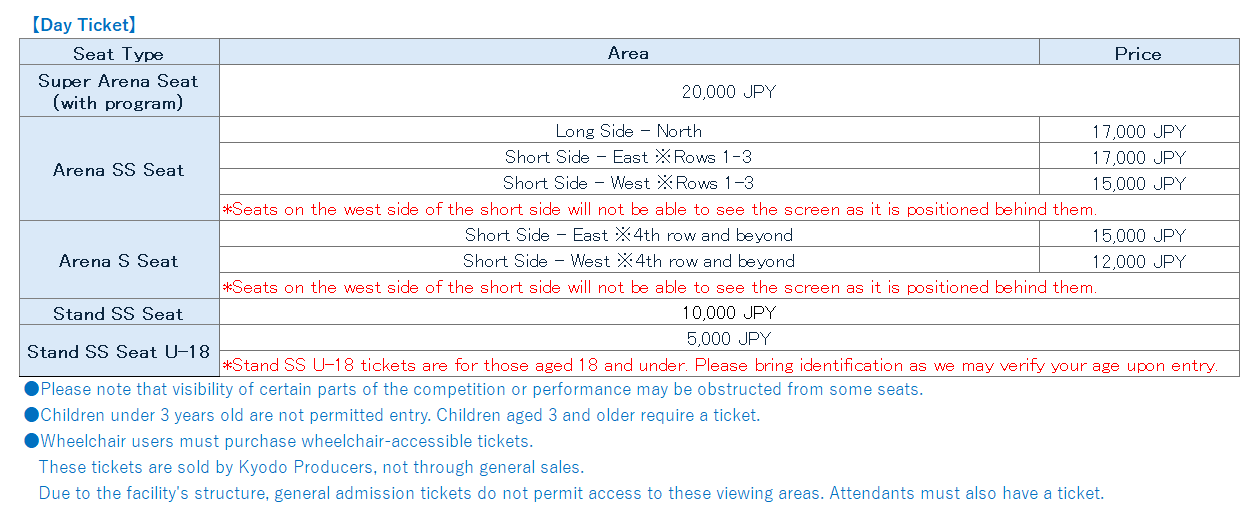
| Tickets price |
|
| Purchase conditions | Register your Plus member ID (free of charge).
|
| Maximum Number of tickets you can buy | Super Arena Seat / Arena SS Seat:Up to 2 tickets per person per day Other Seat types: Up to 4 tickets per person per day *It is possible to apply for multiple days. |
| Service Fee | System fee(tax included):330JPY per ticket Service fee(tax included):165JPY per ticket |
| Payment method | Credit card *Accepted Cards JCB、VISA、Mastercard、AMEX、Diners Paypal UnionPay |
[Notes]
| About E-tickets |
●E-ticket can only be used by whom has a smartphone with a mobile phone number that can connect to the internet. ●Tablet device and iPod Touch is not compatible for the E-ticket. ●Instructions on how to display your E-ticket will be sent to you via email after your purchase is completed. If you use domain-designated reception or email-designated reception, please set up so that you can receive "plusmember.jp". |
|---|---|
| Important Notes Regarding Tickets |
●Please note that depending on your seat, some parts of the performance may be difficult to see. ●Children under 3 years old are not permitted entry. Children aged 3 and older require a ticket. ●Tickets must be purchased exclusively through authorized sales channels (ticket agencies officially licensed by the organizer, or official resellers). We cannot guarantee the validity of tickets purchased through any other channels. ●In the event of multiple applications, no refunds or other adjustments will be provided. ●Cancellations or refunds after purchase completion are not possible due to customer circumstances or changes in participating athletes. ●Under no circumstances will tickets be reissued or admission granted for forgotten, lost, stolen tickets, or incorrect performance dates. Please double-check the date and time on your ticket before arriving. ●Please be sure to bring your identification card, as you may be asked to present it. ●Stand SS/U-18 seats are tickets for those 18 years old and under. You may be asked to present identification at the entrance, so please be sure to bring it with you. ●Any additions or changes to ticket information will be announced on our official website and other channels as they occur. |
| Acceptable forms of identification |
●Passport, driver's license, My Number Card, Alien Registration Card, health insurance card, disability certificate, certificate of residence (original issued within the last three months) ※Photocopies, photographs, or expired forms are invalid. ※The identification card must have **name, date of birth, and photo (if applicable)** on the face of the ticket. |
| Important Notes for Spectators |
●Food and drink consumption at your seat is permitted only during the opening and intermission periods. We kindly ask that you be considerate of other patrons around you during these times. ●Please remain seated in your assigned seat during the performance. ●Carry-on bags, suitcases, large luggage, and other items that may inconvenience other guests are not permitted. If you have large luggage, please store it in a locker or similar facility (please note there are no lockers at the venue). ●Throwing flowers or gifts into the link is prohibited. ●Please deposit gifts for participating athletes in the gift box provided at the venue. Please refrain from depositing perishable food items, beverages, or oversized gifts. ●Please refrain from sending flowers, gifts, letters, telegrams, or similar items to the venue via courier or postal service. We are unable to accept them. ●Photography, video recording, and audio recording during the performance are strictly prohibited. If such behavior is detected, equipment will be confiscated, data will be deleted, and you will be asked to leave the venue. ●Photography (using mobile phones or smartphones only) is permitted solely during the Grand Finale lap (after the finale performance). Please refrain from any actions that may disturb other guests' photography. Regarding the posting of recorded videos or still images, use is permitted solely for non-commercial purposes, such as on your personal social media accounts. The organizer cannot be held responsible for any issues arising from posts on social media or related to music copyright management. ●Photography using cameras, telephoto lenses, and other photography accessories (such as selfie sticks) ●Bringing in or using equipment that may disturb other customers ●Flash photography, taking photos while leaving your seat ●Live streaming, video calls, etc. ●Please refrain from any behavior that interferes with the performance or disturbs other patrons' enjoyment. ●Support banners may only be displayed as handheld banners at your seat. ●Please be mindful not to disturb those seated nearby. ●Handheld banners must be sized so they do not extend beyond your assigned seat. ●Banners for purposes other than support (including banners deemed to be advertisements by the organizers, such as those displaying company names or product names) are prohibited. ●Banners displayed on venue walls, handrails, or similar surfaces will be removed. ●We cannot be held responsible for disputes between customers. |
| Application Notes |
●You need a smartphone to use this service. ●To transfer a ticket is strictly prohibited, even between family members or friends. ●Changes will not be accepted for any reason, so please make sure there are no mistakes or omissions when you purchace a ticket. ●Enter the venue will be refused for anyone other than the original applicant. ●Even if you are unable to enter, there will be no refunds for your ticket fee. ■At the time of purchase, various fees including system fees may be required in addition to the ticket price. ■Purchased ticket cannot be exchanged, altered, or canceled for any reason. |
About E-tickets
E-ticket on smartphone
E-tickets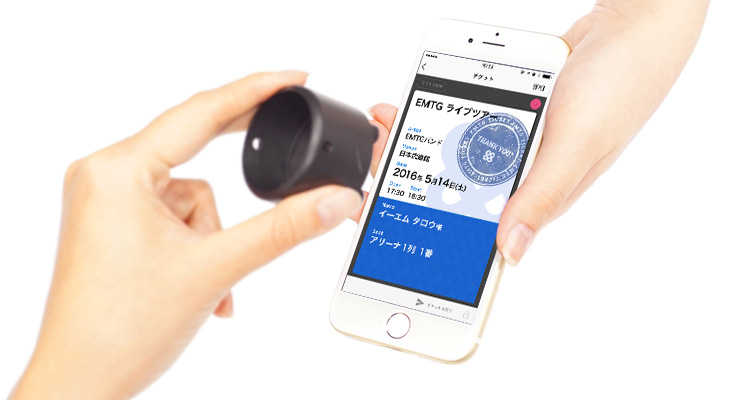 |
Tickets display date | from 10:00 a.m. on Friday, December 5, 2025 |
|---|---|---|
| Distribute E-tickets | Click here |
These services are only available for use on smartphones.
E-Tickets can be used only by persons with cellphone numbers of smartphones.
After you complete your purchase, we will contact you through email about ways to display an electronic ticket. For users who set domain and email addresses for the receipt of messages, please adjust your settings so that you can receive messages from "plusmember.jp."
About ticket purchase
- STEP1
-
Register your Plus member ID (free of charge)
It is required to register a Plus member ID to be able to login the App. Enter here to register your “Plus member ID (free of charge).
- STEP2
-
Plus member ID registration method
-
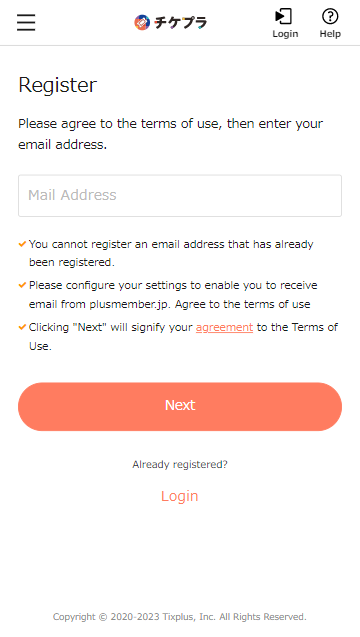
Please agree to the terms of use, then enter your email address.
-
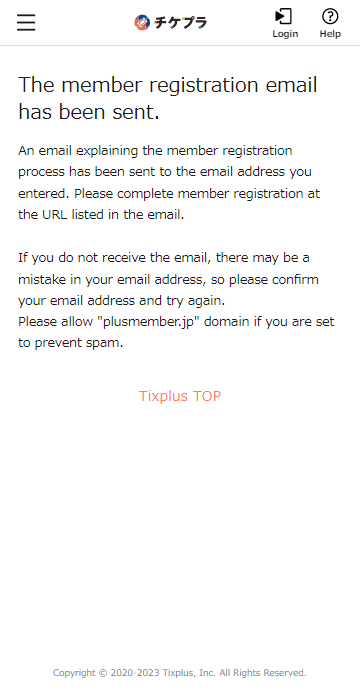
An email explaining the member registration process has been sent to the email address you entered. Please complete member registration at the URL listed in the email.
-
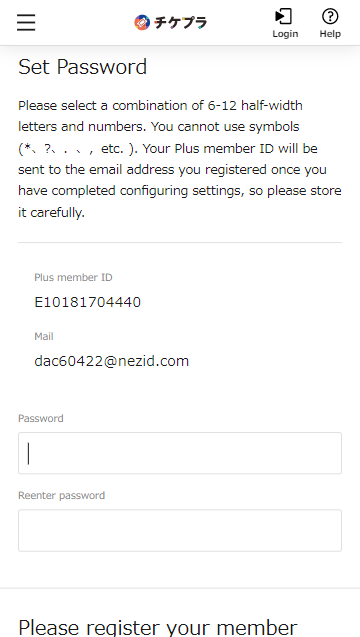
Set any password and scroll down
-
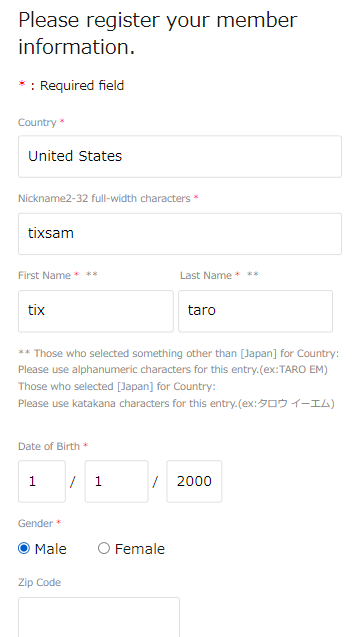
Please enter your nickname, name and date of birth
-
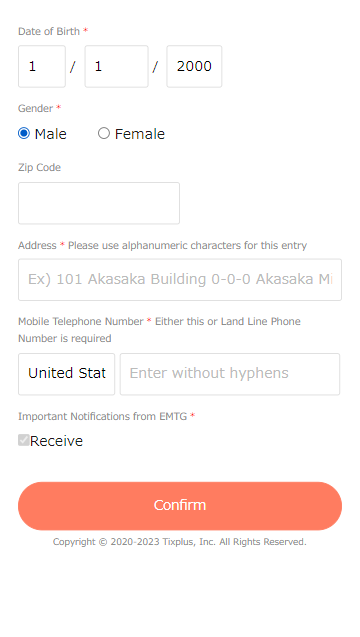
Please enter your postal code, address, and contact phone number
-
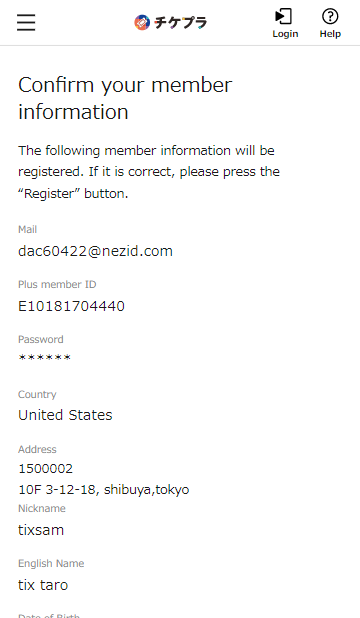
Please check your registration
-
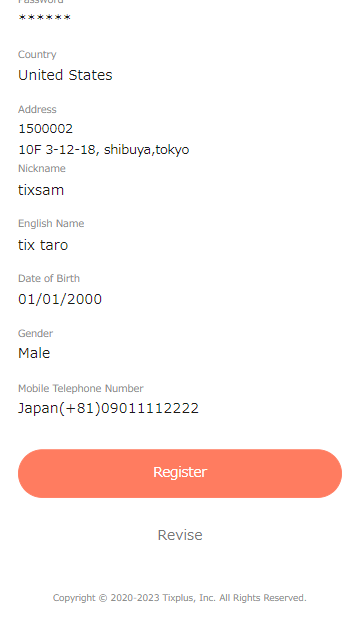
After confirming that the contents are correct, please press the button to register.
-
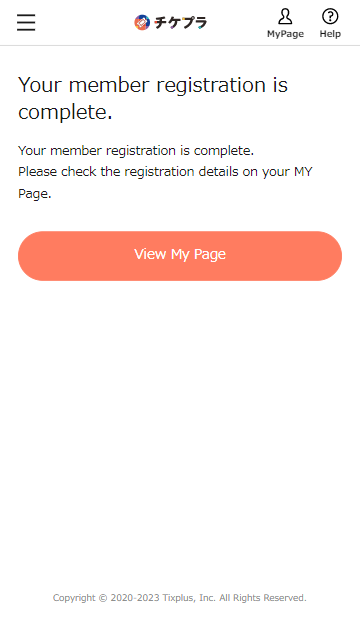
Registration is complete when this screen appears
-
- STEP3
-
Visit the sales page and log in to purchase your ticket
-
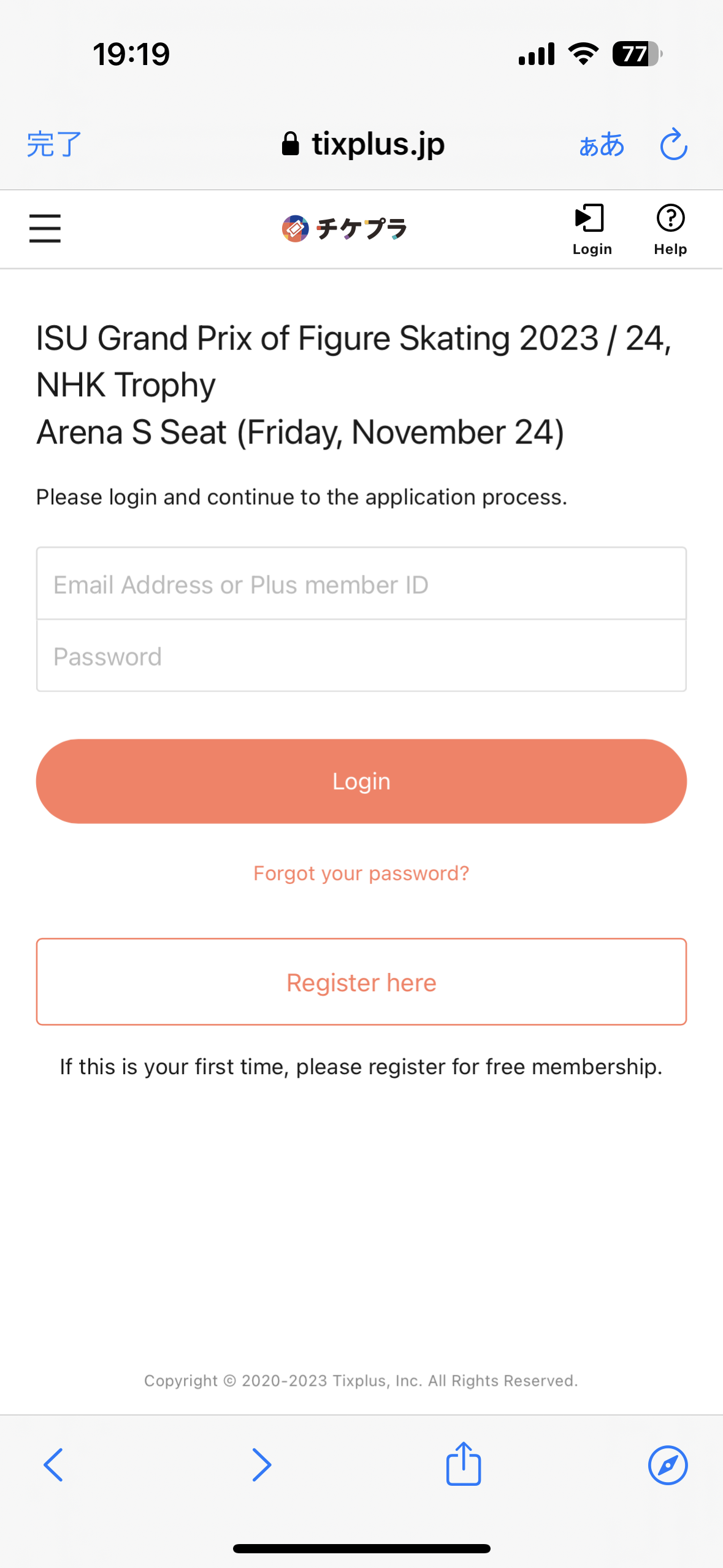
Login with your Plus member ID
-
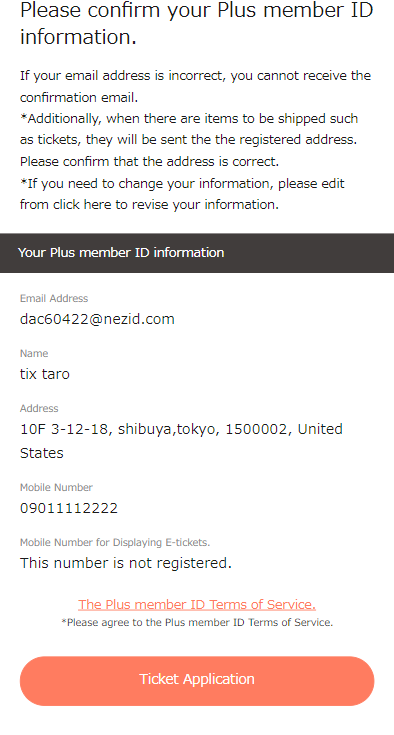
Confirm your information, press next
-
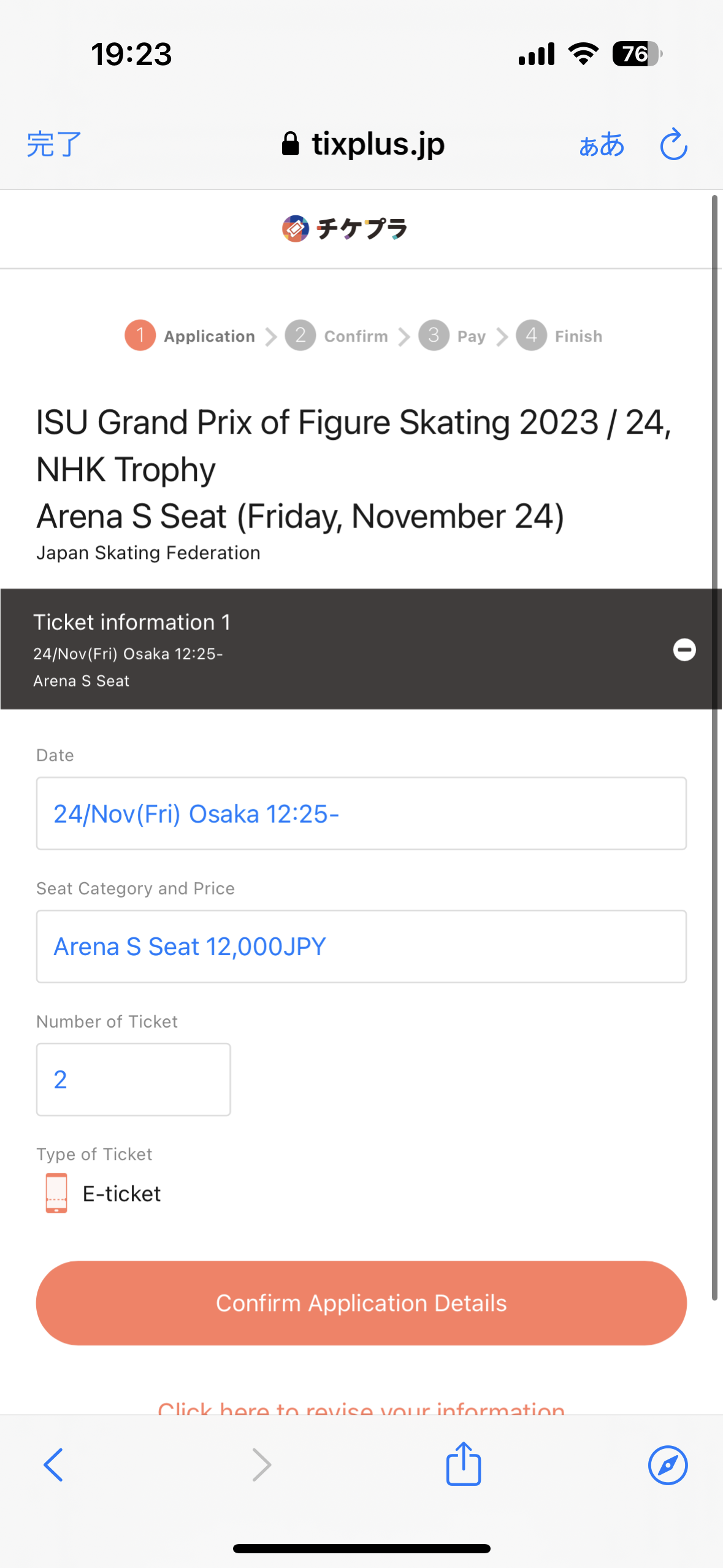
Select performance, ticket type, number of tickets
-
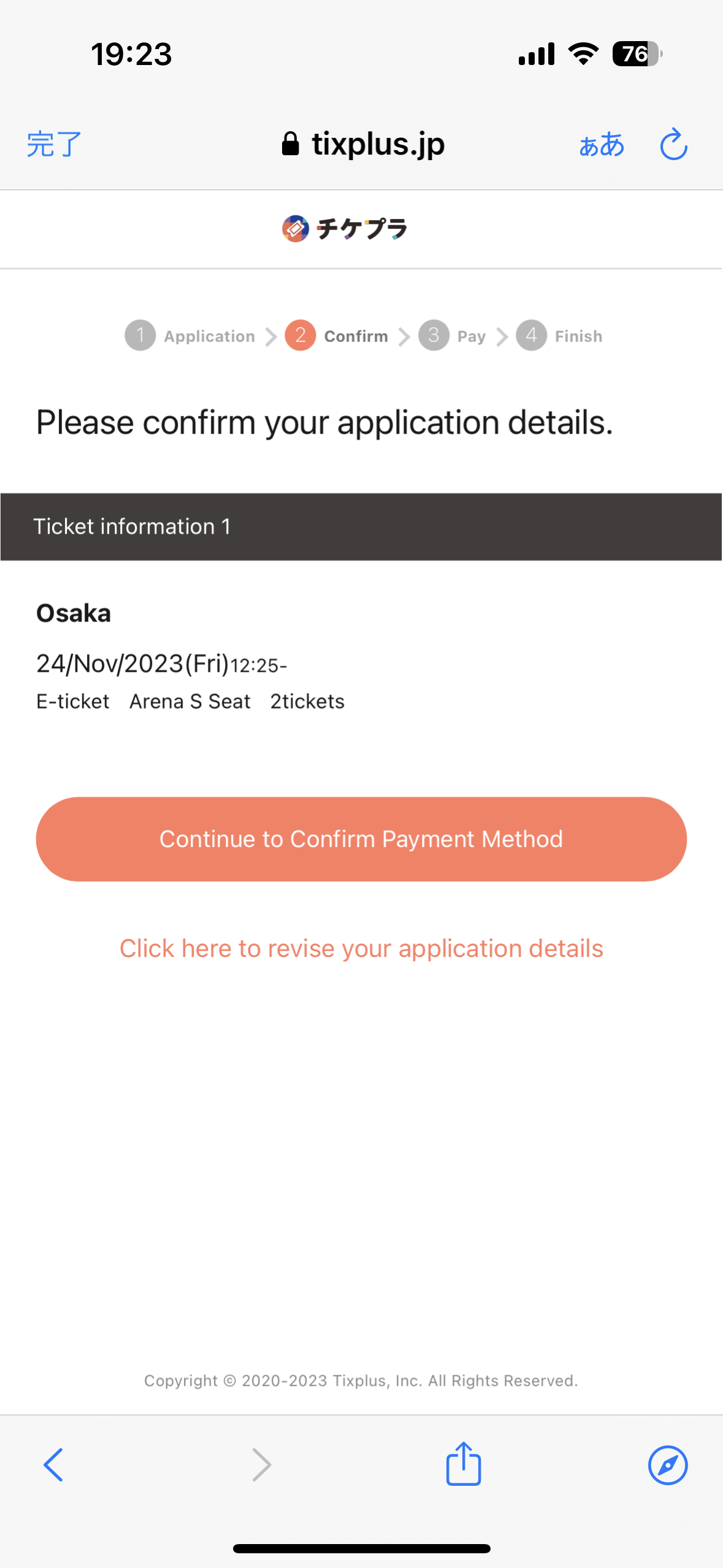
Please check your application
-
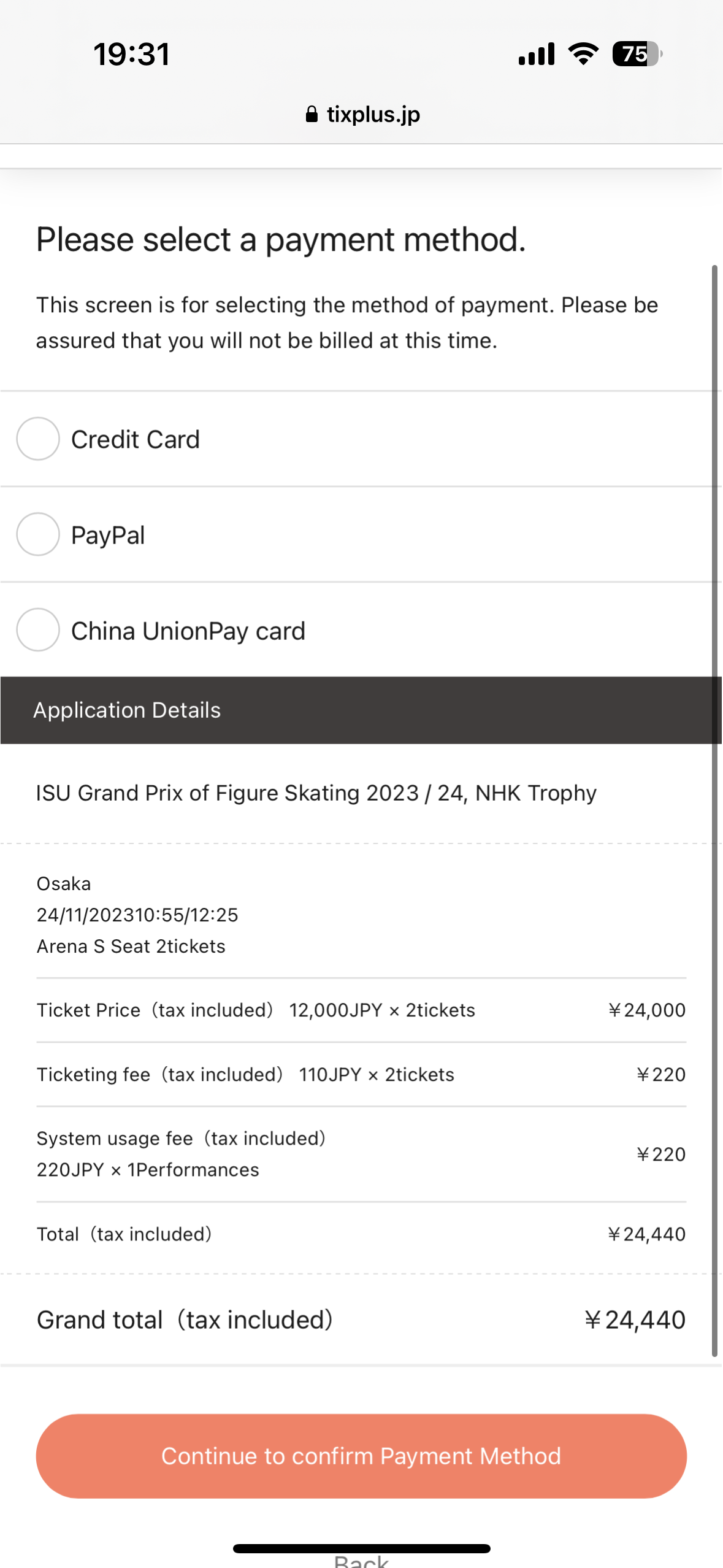
Please select a payment method
-
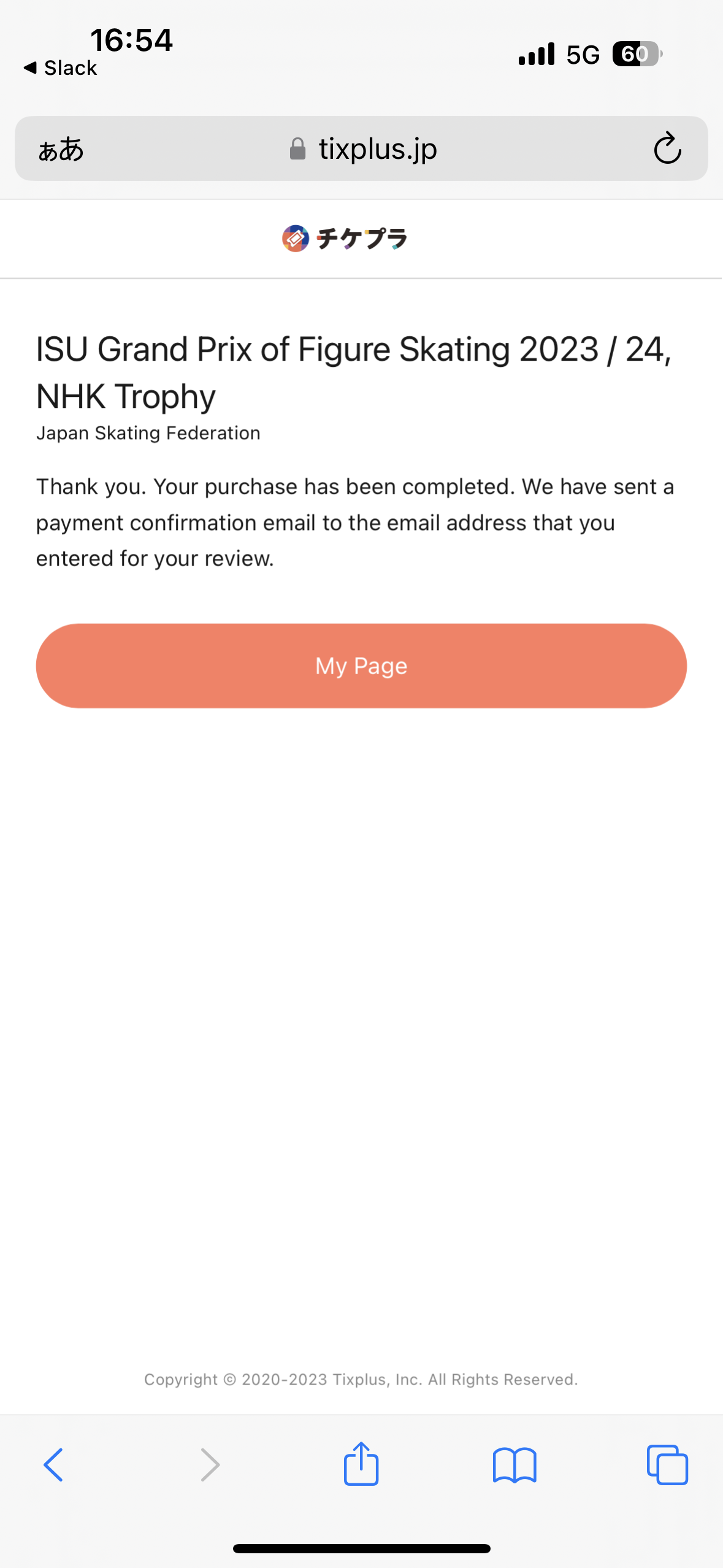
After making the payment, the completion screen will appear
-
- STEP4
-
After payment is completed,You can check the purchase details on My Page
-
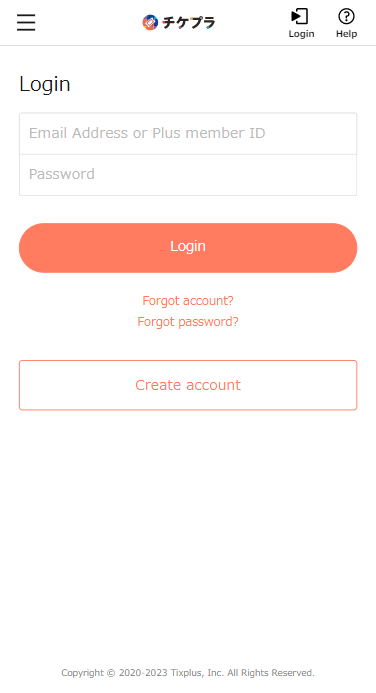
Log in with the ID and password you purchased on the ticket MY page
-
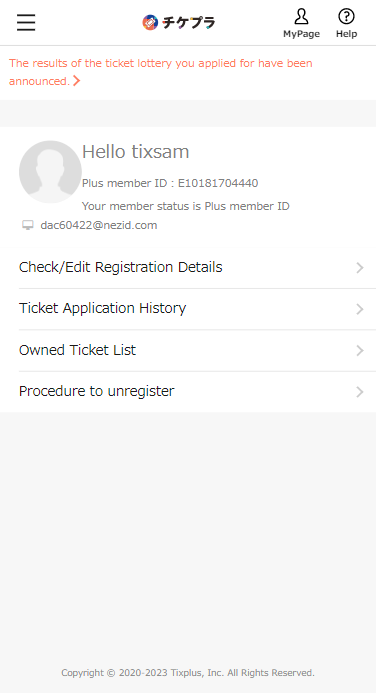
Please press the ticket application history
-
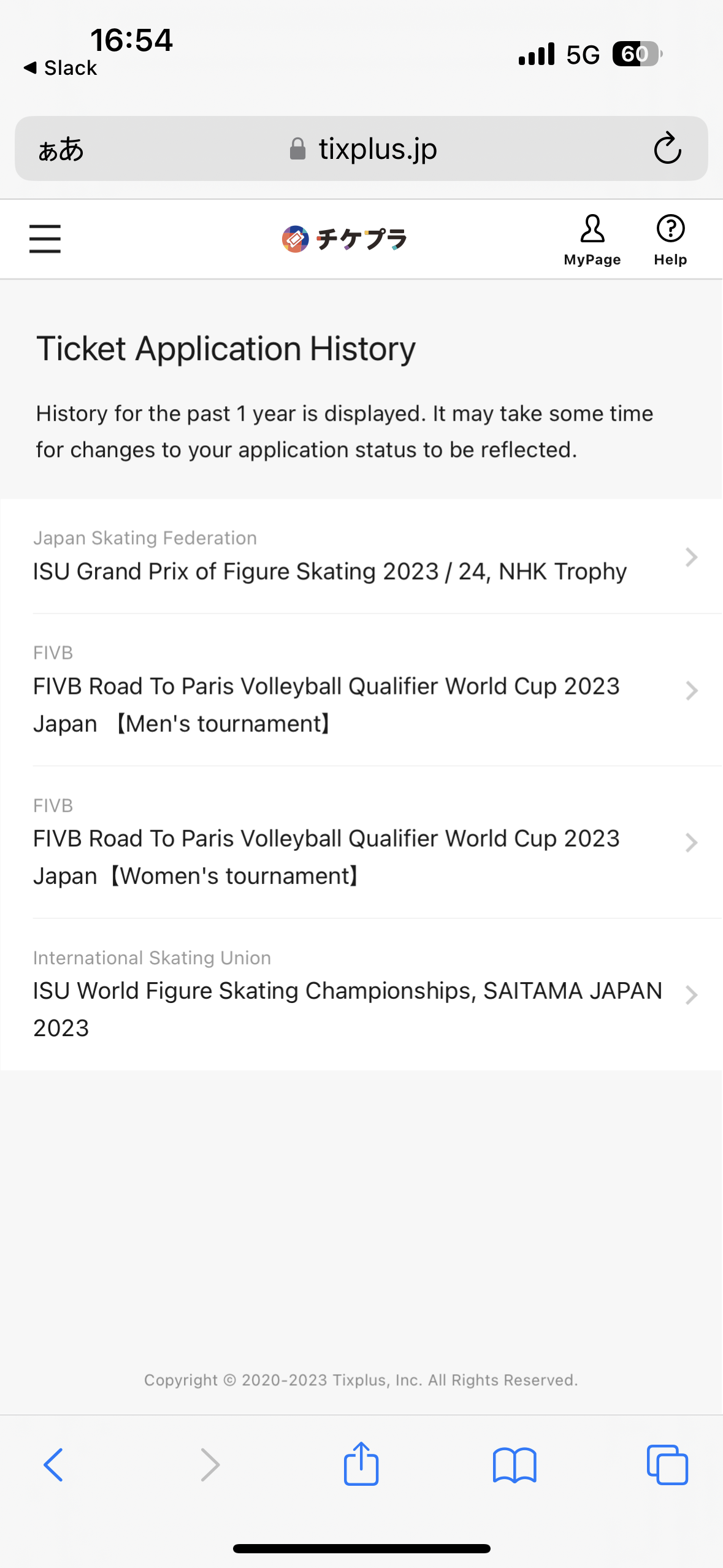
make a relevant application
-
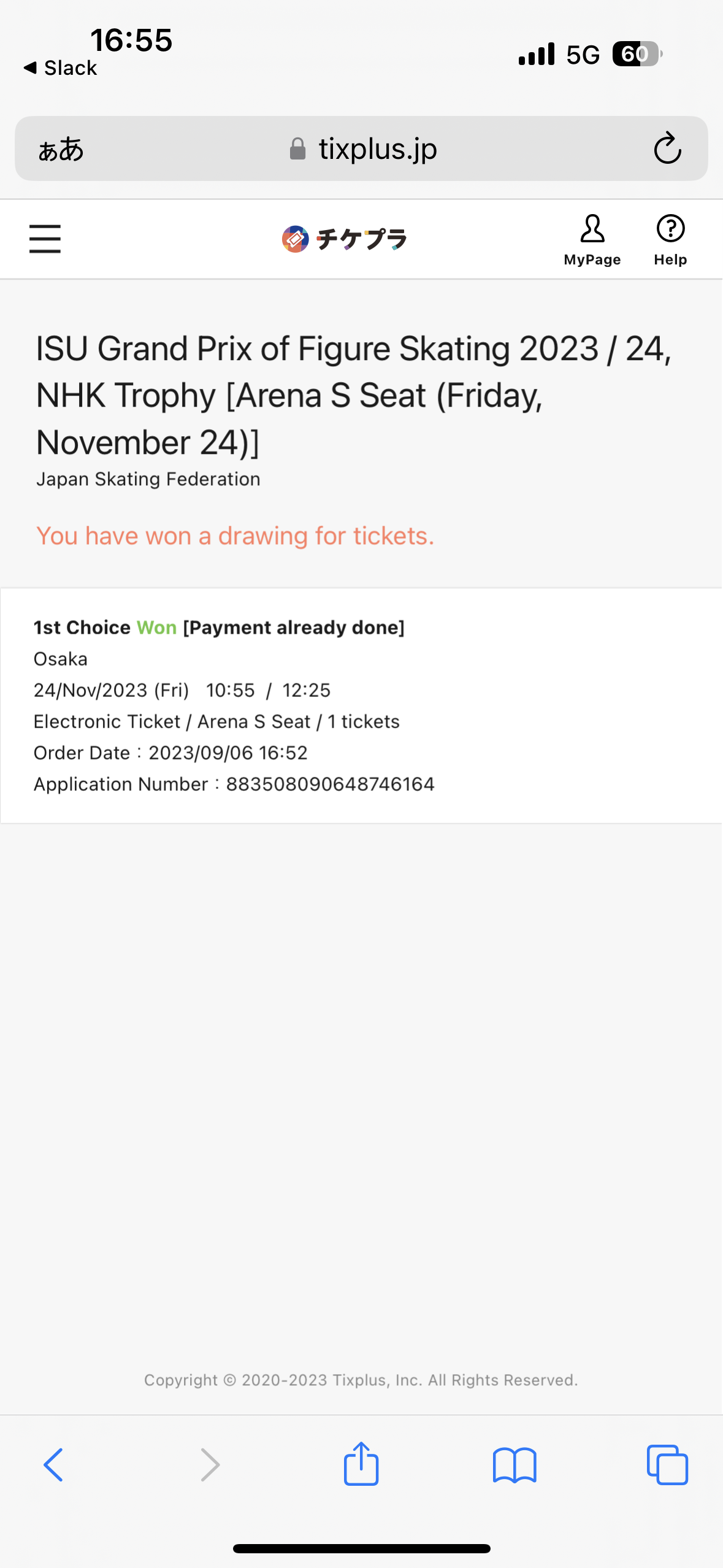
If it says "Payment complete" on this screen, it is complete.
E-ticket will be issued later by the app
-
About E-ticket issuance after purchase
If you claim 2 - 4 tickets, all tickets will be displayed on your smartphone.
*Please be sure to distribute your companions' tickets before entering the venue.
*Free Wi-Fi is not available at the venue, so please check the E-ticket(s) beforehand and ensure that the ticket(s) is displayed on the smartphone.
Please do not forget to bring your smartphone with you!
FAQ & Inquiry
- For inquiries concerning the ticket entry application process or the use of E-Tickets please contact:
- Ticketplus Customer Support Office hours:Weekdays 11:00 - 18:00